Feature - Workout LoggingFree

Workout logging that fits
inside your rest timer.

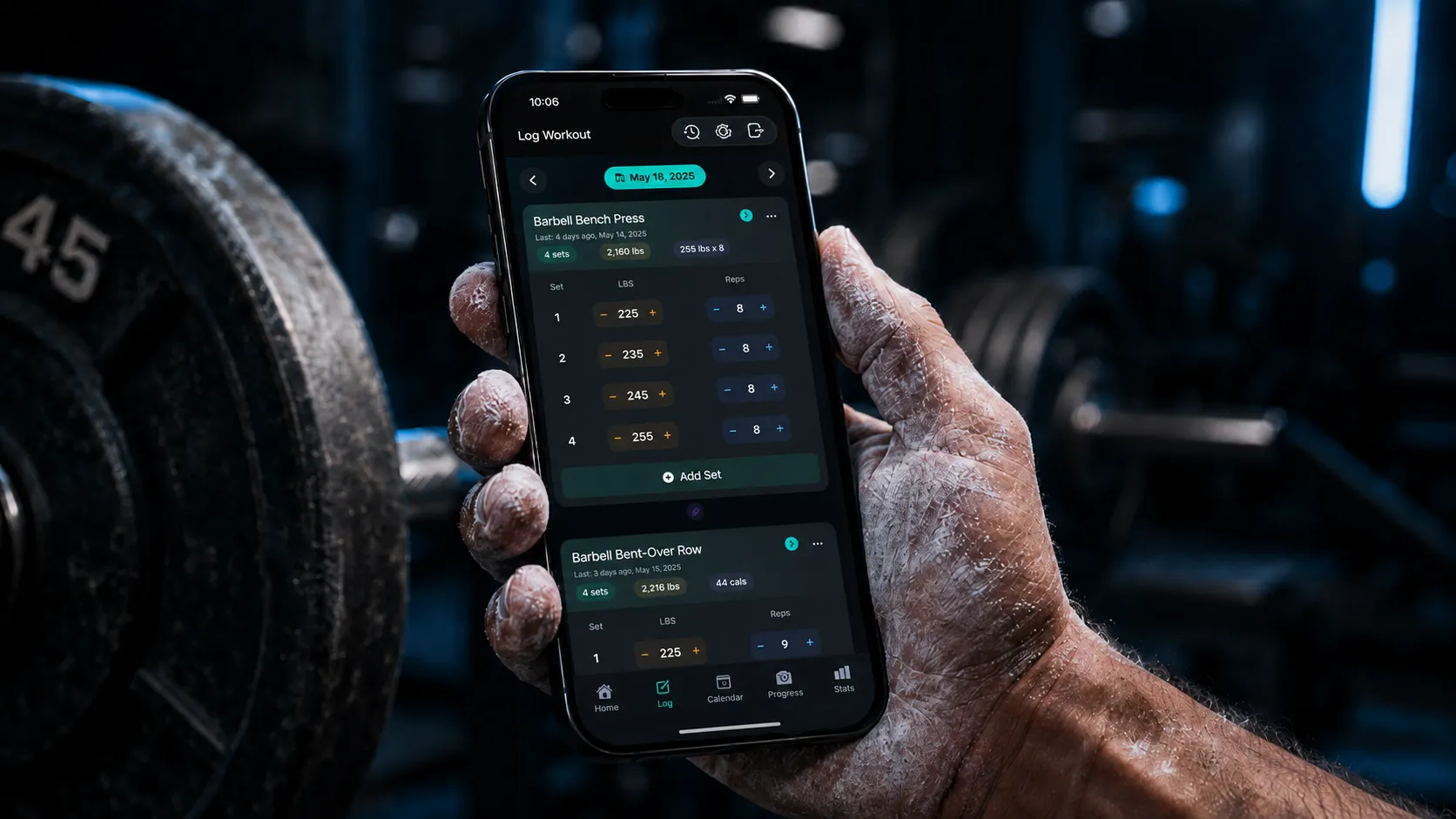
Log sets, reps, weight, and RPE in seconds between heavy sets, with last-session numbers filled in and deeper fields ready only when you need them.
Join the WaitlistAll Features
SuperFlex workout logging feature visual with dark app panels and blue accents

Workout Logging

What you can do with this feature

Each feature is built around a real training outcome, so you can make your next lifting decision with more confidence.

Stay in the workout

Large inputs, last-session values, and quick confirmation keep your attention on the lift instead of the phone.

Capture detail without friction

RPE, set type, notes, and per-limb work are available when they matter and invisible when they do not.

Never lose an interrupted session

Drafts autosave as you train, so a locker-room interruption or dead battery does not wipe the workout.

How It Works

Simple workflow. Real-world training flexibility.

SuperFlex keeps the main path fast while preserving the context serious lifters need.

1

Start from a draft, template, or blank workout

Open SuperFlex and begin from the path that matches the session: resume, apply a plan, or build as you go.

2

Confirm weight and reps fast

Previous-session numbers appear automatically, so most sets are a quick adjustment instead of fresh data entry.

3

Add optional training context

Use RPE, warm-up, drop, failure, per-limb tracking, and notes only when those details improve the record.

4

Save once and let the system update

Logged sets feed strength trends, muscle volume, recovery status, and history without any extra work.

Why It Matters

A training log should reduce uncertainty, not create another task.

The logging surface is the source of truth for everything SuperFlex does next. When logging is fast, you actually keep the record. When the record is complete, every later decision gets cleaner: what to load, what recovered, and whether the program is moving.

Free
  • Use it during real rest intervals without breaking focus.
  • Keep the simple path simple and the detailed path available.
  • Turn ordinary set entries into useful progress data.

Related Features

Best as part of the full SuperFlex system.

Templates & RoutinesFree + Pro
Load the session before you start logging.See feature details
1RM TrackingPro
Turn logged sets into strength trend lines.See feature details
Apple Watch AppFree
Use the same logging flow from your wrist.See feature details

FAQ

Common questions about Workout Logging

How fast is set logging in SuperFlex?
SuperFlex auto-fills your previous weight and reps, so many sets can be confirmed in a few taps. RPE, notes, and set type are optional, not blockers.
Can I edit a workout after saving it?
Yes. Past workouts and sets remain editable, and SuperFlex recalculates related trends and recovery context after edits.
Does logging work offline?
Yes. Workouts can be logged on-device. Sync and backup happen when the device has a connection again.
Does SuperFlex support RPE and advanced set types?
Yes. SuperFlex supports RPE, notes, warm-up sets, drop sets, failure sets, supersets, and per-limb tracking for unilateral work.

Start with a log you will actually keep.

Get early access to faster workout logging on iPhone.

Get early access